PDoc: PDF Reader combines viewing, editing, and local processing
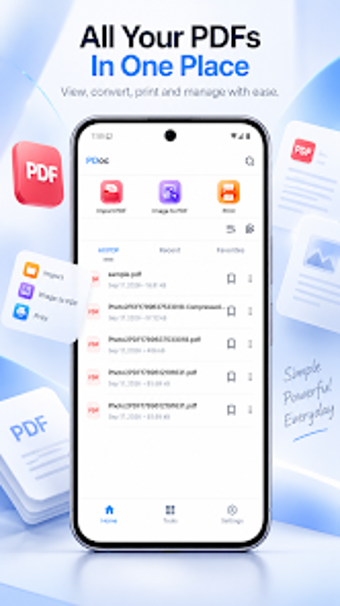
Open, edit, and secure PDFs on an Android device: view pages with search and zoom, merge or split documents, compress files, and convert images to PDF. The app comes from notStudio and targets mobile students and professionals who need offline document handling. It highlights local file processing for privacy, a modern dark-mode interface, and direct printing support, making it suited to users who want a single Android toolkit for reading, basic editing, and file management without uploading documents.
What does the app do for document workflows?
PDoc groups reading, editing, and file management into one mobile workflow: the reader includes search, zoom, and page navigation; editing tools let you merge, split, and compress PDFs; conversion routines turn photos into PDFs and export pages as images. Importing works from any device location and Recent/Favorite lists keep files accessible. The app also supports direct printing and multi-language UI, so common mobile document tasks remain on-device.
Does it affect device performance during heavy tasks?
The app size is about 45 MB and it's described as optimised for fast loading and smooth navigation even with large documents. CPU and RAM figures are not listed, but on-device processing for compression and merging avoids network latency and keeps file I/O local to the storage medium. Large-file operations therefore depend on the device's storage speed and available memory rather than external uploads.
Is it safe to use and does it require technical skill?
All file processing runs locally on the device, so the app does not upload documents to external servers and it provides Lock and Unlock password protection for PDFs. Basic tasks like viewing and converting images to PDF require no specialist knowledge; advanced actions such as splitting or compressing large files benefit from familiarity with file locations and storage constraints. The interface emphasises minimalism and includes a dark mode to reduce visual strain.
PDoc suits mobile users who need offline PDF control
The app performs core PDF tasks on-device and gives clear privacy advantages because processing happens locally. It fits students and professionals who handle documents on Android and want merge, split, convert, and password tools without external uploads. Expect dependable, straightforward operation for everyday document work; plan heavy batch jobs according to your device's storage and memory limits. Recommended.